


Finding parking is one of those small travel problems that can quietly ruin an otherwise simple outing. I tested ParkWhiz as a parking and navigation app, focusing less on its store-page promise and more on the complete journey: deciding where to leave the car, arranging the parking, reaching the location, and dealing with the handoff from phone screen to parking facility. My overall impression is that it is most useful when I want to plan parking before arriving rather than circle unfamiliar streets and hope something appears.
ParkWhiz is free to download and is developed by ParkWhiz Inc. It is available to an Everyone audience, which fits the straightforward nature of the service. The app has been around since December 14, 2012, and its current reach is substantial, with over a million installs. Its average rating sits at 4.2 from roughly twenty-seven thousand ratings, while the review count is close to ten thousand. Those figures suggest a mature service with plenty of real-world use, although they do not remove the need to check the details of each individual parking option.
From parking worry to a planned arrival
Starting with the actual trip
The best way to use ParkWhiz is to begin with a specific destination and arrival plan. I would not open it casually while already stuck in traffic and expect it to solve every parking problem instantly. Instead, I enter the place I am visiting and think about when I expect to arrive and how long I intend to stay. That simple preparation changes the app from a last-minute search tool into part of the trip itself.
This matters particularly around busy venues, downtown areas, and places where street parking is uncertain. When I am meeting friends for an event, the cost of arriving late is more than the inconvenience of walking a few extra minutes. A reserved space can make the decision easier because I can compare parking choices before committing to a route. The useful question is not merely “Where is the nearest garage?” but “Which option gives me the most predictable arrival?”
I also found it helpful to think about the destination entrance rather than judging a space only by map distance. A garage that looks close may place me on the wrong side of a large venue or require a longer walk than expected. ParkWhiz is more valuable when I use the search results as planning material, then consider the final walk and the road approach before selecting an option.
Comparing the choices instead of tapping the first result
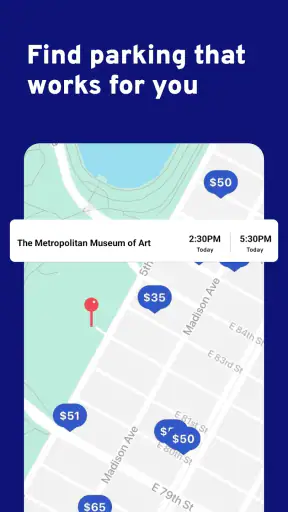
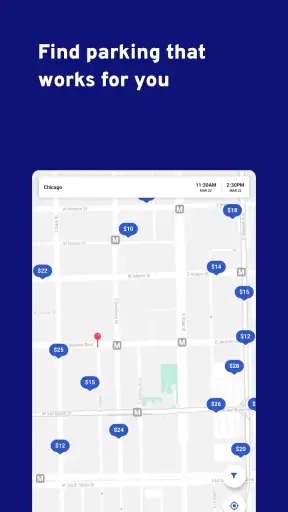
Once the destination and timing are set, the app’s main job is comparison. I look at the listed parking locations, their position relative to the destination, and the conditions attached to each choice. This is where ParkWhiz can be more practical than simply searching for a garage in a general map app. A conventional maps application may show nearby facilities, but it usually leaves me to investigate availability, payment arrangements, and the exact process for using the facility.
ParkWhiz is built around the parking decision itself. That focus is useful when I already know where I am going and want a parking-specific result rather than a broad collection of businesses and directions. At the same time, I would still use a regular maps app for the wider journey, traffic awareness, and walking orientation. ParkWhiz helps with the parking segment; it does not replace every navigation tool I use during a trip.
One of my practical habits is to compare the closest option with one or two alternatives. The closest garage is not automatically the best choice. A slightly longer walk may be worthwhile if the entrance is easier to reach, the route avoids a complicated turn, or the parking arrangement is clearer. This is a small but important trade-off: convenience at the destination can mean extra driving before the car is parked, while a more distant option can make the road approach simpler.
Reading the parking details before committing
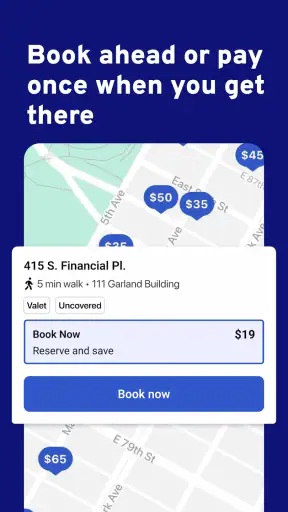
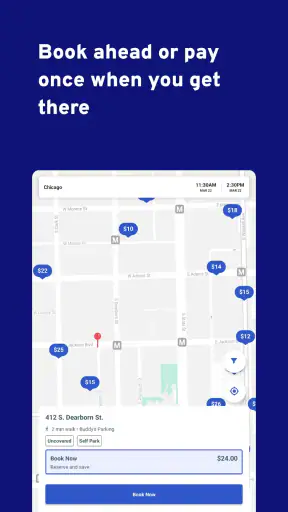
The most important step is reviewing the selected parking option carefully. I pay attention to the location, the applicable time window, and the instructions for using the reservation or parking arrangement. This is where many parking apps can feel less effortless than their search screens suggest. A user may see a suitable location quickly, but the real success of the booking depends on understanding what happens after arrival.
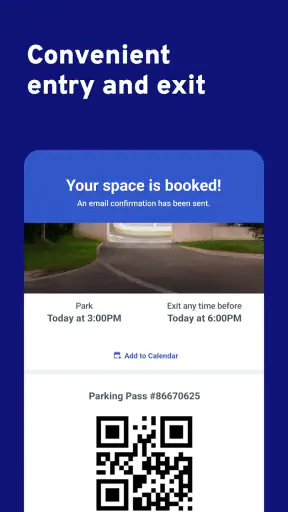
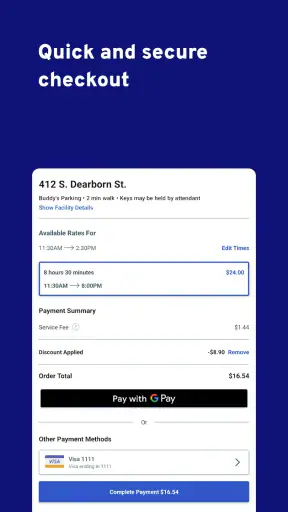
I treat the confirmation information as something to keep accessible, not as a screen I can ignore once the transaction is complete. Before leaving home, I check the facility name and address again, especially if several garages appear near the same destination. I also make sure I understand what I am expected to show or use at the entrance. That preparation is one of the less obvious benefits of the workflow: it reduces the chance of standing at a gate with a phone in one hand and a line of cars behind me.
Another useful habit is to take a moment to compare the parking arrangement with my actual schedule. If my plans are flexible, a narrow time window can create stress. If I know I will arrive and leave around a particular event, the arrangement may fit well. ParkWhiz works best when the user makes that judgment before purchase rather than assuming every parking option offers the same amount of flexibility.
The handoff from app to road
After choosing parking, the experience changes. I am no longer simply browsing; I am driving toward a real entrance that may be on a one-way street, behind a building, or separate from the destination’s main address. This handoff is where I would combine ParkWhiz with the navigation app I normally trust for turn-by-turn driving. The parking app helps me identify the intended facility, while the navigation app handles the broader route.
I would not rely on a pin alone when approaching a crowded area. I check the written address and look for the facility’s actual entrance rather than assuming the map marker points directly to the driveway. This is especially important around large venues, where the destination address and parking entrance can be quite different. Planning that final approach in advance is one of the clearest ways to avoid turning a reserved parking space into a rushed arrival.
There is also a human handoff at this stage. The person managing the entrance may need to recognize the parking arrangement or see the relevant confirmation. The app cannot make that interaction disappear. Keeping the confirmation ready, increasing screen brightness if necessary, and avoiding a situation where I need to search through several apps are simple steps that make the arrival smoother.
A realistic event-day workflow
Imagine I am driving to a busy evening event in an unfamiliar part of town. Before leaving, I search for parking near the venue, compare the nearby options, and choose one that balances walking distance with an uncomplicated approach. I save the selected details where I can reach them quickly, then use my usual navigation tool to drive there.
As I get close, I follow the facility address rather than the venue entrance. At the garage, I use the information associated with my parking choice and confirm that I am at the correct location. Once the car is parked, I walk to the event. On the way back, I use the parking details again to make sure I return to the same facility, particularly if several garages look alike at night.
This scenario shows where ParkWhiz earns its place. It does not eliminate every decision, but it moves the most stressful decisions earlier, when I have time to compare them. The outcome is not simply “I found a garage.” It is that I arrived with a parking plan, knew which location I was targeting, and had fewer unknowns competing for my attention during the drive.
What the app does well for repeated routines
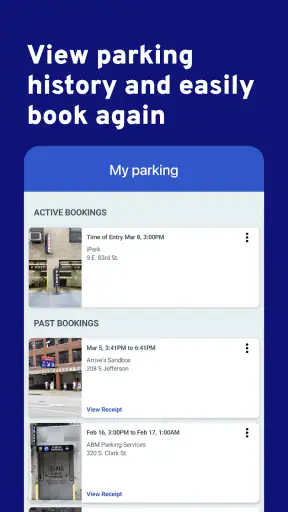
ParkWhiz is also useful for people who visit the same busy area more than once. After the first trip, I can remember which parts of the process caused friction: a confusing entrance, a longer walk, or instructions that were easy to miss. On the next visit, I can compare a familiar option with alternatives instead of starting from zero.
That makes the app particularly suitable for regular event-goers, commuters who occasionally drive into dense areas, and travelers who do not want to improvise parking near an unfamiliar destination. The parking search becomes a repeatable routine: identify the destination, check the timing, inspect the facility details, prepare the confirmation, and hand the final route over to a navigation tool.
A less obvious advantage is that this routine separates parking cost from the rest of the trip in my mind. Rather than arriving and accepting the first available garage under pressure, I can make the parking decision alongside the event or appointment decision. That does not guarantee the cheapest result, but it makes the trade-off visible before I am committed to a crowded street.
Where the flow becomes less comfortable
The experience is not frictionless. A parking listing can look ideal on a map while the real approach is awkward. Construction, temporary street restrictions, event traffic, and one-way systems can all make the final few minutes more difficult than the search screen suggests. This is why I see ParkWhiz as a planning aid, not a substitute for paying attention while driving.
The handoff between the app and the facility can also be the weakest part of the journey. A user may understand the selected location but still be unsure what to do at the entrance or how the facility recognizes the parking arrangement. That is not a reason to avoid the app, but it is a reason to read the instructions before arriving and keep the confirmation available.
Timing is another point of friction. Parking plans are often tied to a particular visit, while real life is not. Meetings run late, events finish early, and traffic can change the arrival time. I would be cautious about choosing a parking option without considering how rigid the timing may be for my plans. When flexibility is the priority, a familiar garage or ordinary street search may feel less complicated, even if it provides less certainty.
I also would not recommend ParkWhiz as the only tool for someone who wants live, broad-area navigation. Its strength is the parking transaction and the comparison around a destination. A general maps service remains better for discovering businesses along a route, monitoring the whole drive, or adapting continuously to traffic. The two types of app complement each other rather than competing directly.
Who should use it and who may prefer another approach
I would recommend ParkWhiz to anyone who regularly drives to crowded destinations and dislikes making parking decisions at the last possible moment. It is especially helpful when the destination is known, the parking area is busy, and arriving on time matters. Travelers can also benefit because a parking-specific search is often easier than interpreting a list of generic map results in an unfamiliar city.
I would be more hesitant to recommend it to someone who almost always parks on quiet residential streets, prefers to decide spontaneously, or needs highly flexible plans. If I am making a short stop and already know a convenient free or familiar space, opening a dedicated parking app may add unnecessary steps. Likewise, people who want one application to handle every part of the journey may find the need to switch between parking information and broader navigation slightly inconvenient.
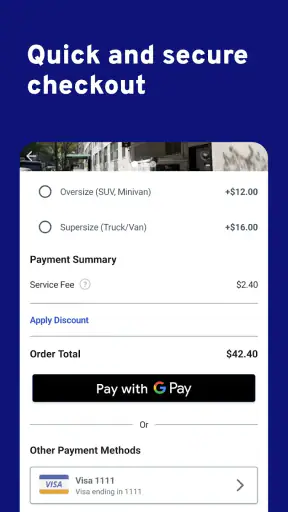
The free price makes trying it low-risk, but “free” does not mean every parking choice will suit every budget. I still compare the available options and consider walking distance, timing, and arrival complexity together. The cheapest-looking result may not be the best value if it creates a difficult approach or a longer walk in poor weather.
My final assessment after following the whole journey
ParkWhiz succeeds because it treats parking as a decision worth planning rather than an afterthought. In my experience, its strongest moment comes before the drive: comparing facilities, choosing a destination-specific option, and preparing for the arrival handoff. That preparation can be genuinely reassuring when I am heading somewhere busy or unfamiliar.
Its limitations appear at the boundary between digital planning and physical reality. The app cannot control traffic, clarify every confusing driveway, or make an inflexible schedule flexible. I still need to read the parking details, verify the approach, keep the confirmation ready, and use a broader navigation tool when appropriate. Those are manageable responsibilities, but they are part of using the service well.
As a free Maps & Navigation app from ParkWhiz Inc, it offers a focused alternative to relying only on ordinary map searches. I would choose it when parking certainty matters more than spontaneity, and I would pair it with my regular navigation app for the complete trip. If your usual problem is arriving at a busy destination without knowing where the car will go, ParkWhiz is worth adding to your travel routine.
The app is associated with Arrive Mobility and forms part of the Arrive Network, but what matters to me as a user is the practical workflow: search before leaving, compare with care, understand the handoff, and arrive prepared. Used that way, ParkWhiz does not promise to remove every parking headache. It does something more realistic and useful: it gives me a better chance of solving the parking part before it becomes the main problem.


